Patient Recall and Reactivation: How to Win Back Patients by Text
Keeping patients engaged with their healthcare provider is an ongoing challenge. When routine and follow up appointments are missed, patients lose touch with their practice.
From a business perspective, finding new patients is more expensive and time-consuming than retaining your existing ones. To help you overcome this challenge, text messaging offers an easy and direct way to contact patients who have become inactive and encourage them to book appointments.
Patient reactivation is about both filling appointment slots and helping patients stay on track with the healthcare they need.
For healthcare organisations using Salesforce, SMS can be used directly within patient records, making patient recall easy to coordinate and track.
In this guide, learn how patient reactivation works, how text messaging can support patient retention and how to build a successful patient recall system in Salesforce.
What Is Patient Reactivation?
Patient reactivation is the process of reconnecting with patients who have stopped engaging with your practice or have not returned for their recommended care. It can apply to all healthcare settings including doctors’ offices, specialist clinics, and dental practices.
Perhaps a patient forgot to schedule a follow up appointment, cancelled but didn’t reschedule, or hasn’t received a reminder. Instead of waiting for these patients to contact you, you could take a proactive approach and start a patient reactivation strategy.
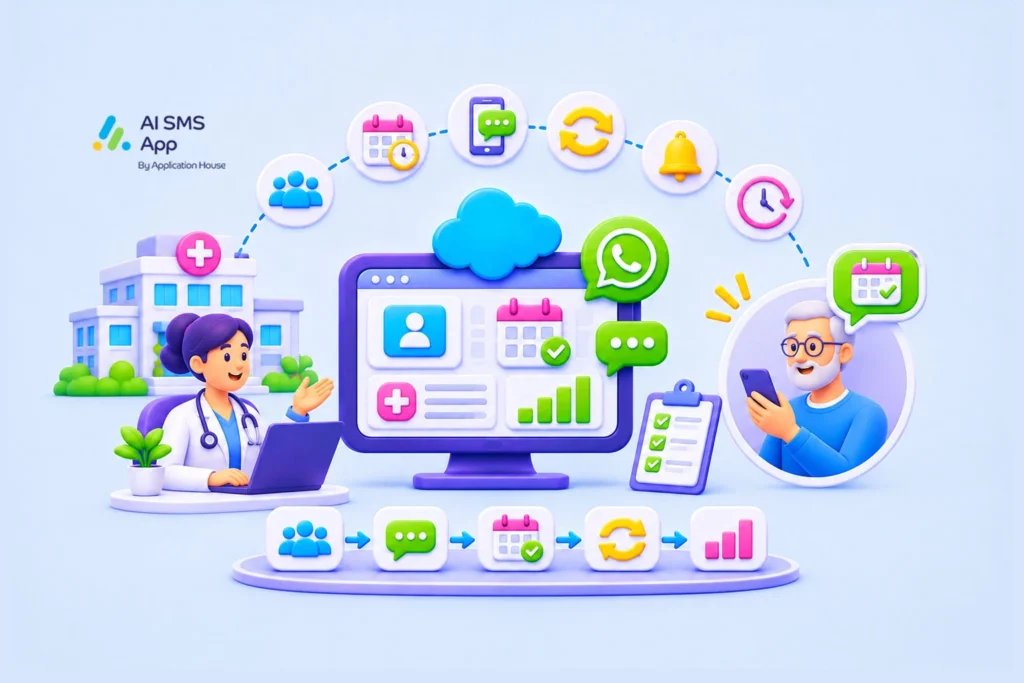
To do this you need to:
- Identify appropriate patients who are overdue appointments
- Send personalised text messages inviting them to re-book
- Make the booking process as simple as possible
- Follow up again with patients who don’t respond
- Track responses to improve future campaigns
The main goal of patient reactivation is to make it easy for patients to return to your practice and maintain a stronger relationship with them.
A patient reactivation strategy can help healthcare teams address several challenges:
- Encourage patients to return for care
- Strengthen patient retention
- Improve appointment usage
- Reduce manual follow up admin
How To Use SMS To Bring Patients Back
Text messaging is a convenient way to reconnect with patients without relying on manual phone calls, or emails that are more likely to be overlooked.
Ways to use texts as part of your patient reactivation process:
Send timely recall messages – a recall message can be a reminder that an appointment is due to be scheduled.
Make it easy to book an appointment – having to make a phone call during office hours to speak to someone can cause friction. If you offer online booking, a text message with a link to book is a straightforward way to fill appointments.
Follow up with patients who don’t respond – whilst repeated messages can become intrusive and lead to opting out, a gentle reminder a few days after an ignored message could reach the patient at a better time. After one or two follow up messages, anyone who hasn’t responded could be flagged for manual review.
Personalise communication – where appropriate and following HIPAA guidelines, Salesforce data can be used to personalise the message.
Build An Effective Patient Recall System
1. Identify patients who need reactivation
What does your practice class as an inactive patient? Those who are overdue routine care, or those who have an outstanding follow up? This will vary depending on clinical guidance and the type of healthcare you offer – not every inactive patient will need the same level of follow up.
2. Segment patients into relevant groups
Once you’ve defined your inactive patients, they can be segmented into appropriate groups for relevant campaigns rather than a generic message for everyone. For example, routine appointments and follow-up appointments will need different campaigns.
3. Set up SMS templates
A set of approved templates is the best option, so you can be sure they are compliant and don’t reveal any unnecessary protected health information (PHI).
4. Send messages at convenient times
Timing can influence whether a patient responds to a message when they see it. Recall messages should give patients plenty of time to act before a repeated reminder, which could end up overwhelming or annoying them. By testing out different send times, you can gain insight in the best time of day to send messages.
5. Manage replies
A process for handling responses will be needed – patient reactivation doesn’t just end once the SMS is sent. Patients might reply with questions, request a call back or they may say they no longer require the service, so you should monitor replies so they can be routed to the appropriate team. AI SMS App offers an inbox feature to easily handle incoming replies.
6. Track results
Measuring the performance of your patient recall system is important so you can see what works. Some ideal metrics to monitor include:
- Number of messages sent
- Delivery and response rates
- Appointments made
- Time between outreach and booking
- Opt out rates
Using this data, you can refine templates and send times to improve patient reactivation.
How Can Salesforce and Agentforce Support Patient Reactivation?
A Salesforce native SMS app allows healthcare organisations to send text messages directly from Salesforce. This means patient reactivation can be part of your wider patient engagement workflow, rather than a disconnected activity.
Some ways Salesforce can support a consistent patient recall process:
Keep patient communication connected to Salesforce
Conversations are associated with the relevant patient’s record. Staff dealing with patients who are authorised to view the record can see communication history, giving them clear history when coordinating a follow up, or any other activity to manage the patient relationship.
Consistent recall workflows
Salesforce can be used to define relevant recall criteria and support workflows for follow up. For example, a workflow could identify a group of patients who meet the recall criteria, send approved outreach messaging, and flag any records that need manual intervention.
Agentforce Support
If you have existing Agentforce Agents, perhaps used for a chatbot, you can use that same agent to send text messages with AI SMS App.
Best Practices For Patient Reactivation By Text
- Make every message useful – Only contact patients for a clear purpose
- Keep messages concise – Simple, clear language with one clear action to take
- Protect patient privacy – Don’t use unnecessary patient health information in messages, and ensure compliance to HIPAA regulations
- Follow communication preferences – maintain accurate contact details and opt in / out preferences for each communication channel
- Have a process for replies – before starting a reactivation campaign, ensure you have a process for dealing with any replies or requests for help that need manual intervention
- Don’t overdo the follow ups – excessive messaging can damage trust and lead to opt-outs.
- Review your results regularly – use campaign results to improve message wording, frequency, and targeting.
Bring Inactive Patients Back To Your Healthcare Practice With SMS in Salesforce
For healthcare organisations looking to make patient reactivation more consistent, a connection between patient records, workflows and SMS messaging is a practical advantage.
Using text messaging makes the process convenient for patients and helps practices manage outreach without relying on time-consuming manual phone calls.
A native SMS app brings patient text messaging into your CRM environment, keeps all your data in one place. When used combined with automation and Agentforce capabilities, it can give you a more consistent approach to patient recall.
Want to make patient reactivation easier to manage? Get in touch to arrange a demo of AI SMS App today, which can help you achieve all of this and more.