Automated Text Responses: How AI Agents Handle Replies in Salesforce
Your business might receive messages from customers and prospects throughout the day – sales enquiries, support requests, appointment queries, or replies to marketing campaigns. Responding quickly is important, and handling every message manually can become overwhelming.
Automated text responses offer a way to manage these interactions efficiently. Automatic SMS and WhatsApp replies can help you acknowledge enquiries, provide useful information and help customers get support without an employee needing to deal with them all.
For Salesforce users, automated messaging can be achieved using a native SMS and WhatsApp app with Salesforce Flow, triggers or Agentforce agents. This keeps all messaging connected to your CRM.
In this blog, find out how automated text responses work, the benefits for different business teams, practical auto reply examples and how to set up in Salesforce.
What are automated text responses?
An automated text response is a message sent automatically in response to a message, action, or condition.
You can use an SMS autoresponder to acknowledge enquiries, confirm appointments, provide updates, and answer common questions, and provide information outside of normal business hours.
What is an AI-powered text auto reply?
A traditional SMS autoresponder sends a predefined message in response to a particular event. For example, in response to a received message an autoreply might say “Thanks for your enquiry, a member of our team will be in touch shortly.”
Automated text responders can be more useful when they can understand what a customer is asking, rather than sending a generic reply. Using an AI agent, autoresponder goes further by understanding the nature of the message, providing an appropriate response, or passing it to a human if necessary.
Benefits of auto reply text messages for your business
Automated text responses can help your business manage customer communication more efficiently and maintain consistent customer experience.
24/7 availability – AI agents can handle replies outside of normal business hours
Fast response times – customer can receive an immediate reply instead of waiting for a team member to become available
Clear, uniform replies that work – approved responses follow brand guidelines for consistent communication
Saves time and resources – teams spend less time answering repetitive, routine questions
Efficient workflows – routine enquires automatically handled and more complex enquiries are routed to employees
How to set automated text responses in Salesforce
To use automated texts in Salesforce, you need a way to send SMS or WhatsApp messages. A native messaging app such as AI SMS App is one of the most cost-effective ways to add messaging functionality to Salesforce.
AI SMS App can be used with Salesforce Flow, triggers and multiple Agentforce Agents to enable you to send auto reply text messages.
Rule-based automation with Salesforce Flow
You can use Salesforce Flow or triggers to send SMS or WhatsApp messages. This can be automated based on defined conditions.
For example, a message can be automatically sent when a record is created or updated.
This automation can follow custom logic and do condition checks before sending.
This is useful for appointment reminders, quick initial responses to leads or enquiries [link to speed to lead] and document collection.
Automating SMS with AI agents
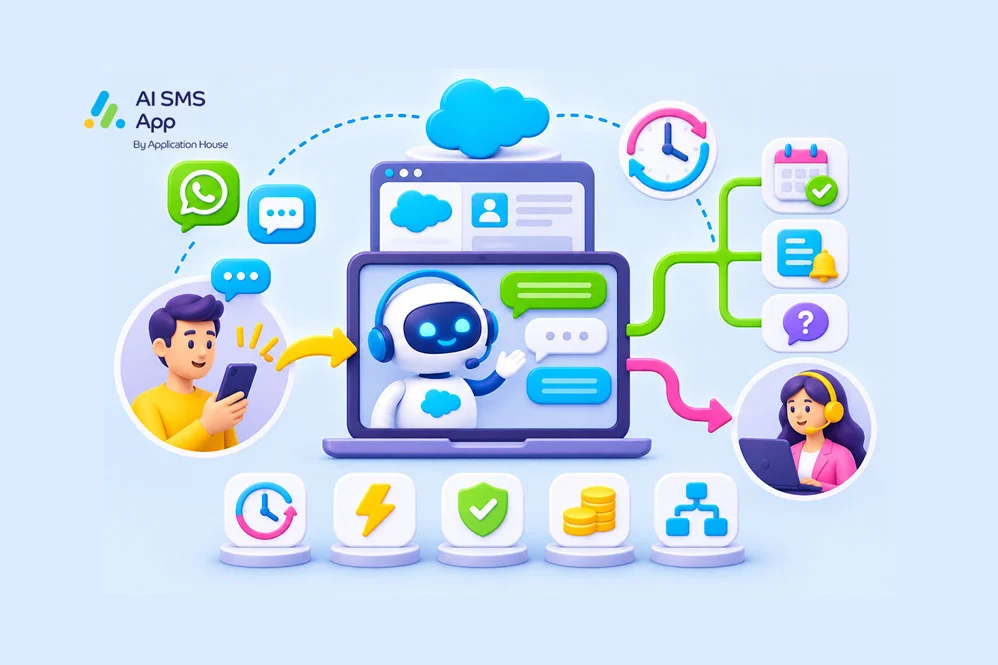
You can use Agentforce Agents to automatially respond to SMS or WhatsApp messages. Incoming messages, sales enquiries and support enquiries can be interpreted and responded to by your Agentforce agents.
You can integrate with existing Agentforce agents, create dedicated messaging agents, and use multiple agents across different teams or workflows.
Depending on your set up, they can use Salesforce data, answer questions, and determine when escalation is required.
With AI SMS App, your Agentforce Agent can send messages for any type of record in Salesforce – contact, lead, case, opportunity, quote, order, etc.
[link to AI Agent solution page]
Both approaches are complimentary – Salesforce Flow can manage the business processes, while the AI agent handles the interaction.
Example use cases and auto reply text messages by team
Auto reply text messages for sales teams
Sales teams can receive a large volume of inbound enquiries that need attention. Automated responses can acknowledge these enquiries, provide initial information, and help move prospects to the next step.
Use cases:
- Respond to new sales enquiries
- Answering initial questions about products/services
- Responding to price enquiries
- Handling out of hours enquiries
Examples:
“Thanks for getting in touch about our product/service. I can help you find out more. Are you interested in pricing, product information, or speaking with a team member?”
“Thanks for your enquiry, [first name]. Our sales team are currently unavailable, your enquiry will be dealt with by [date].”
Auto reply text messages for marketing teams
Marketing teams can use auto replies to manage responses to SMS and WhatsApp campaigns. Auto responses can provide information or direct the contact to the next step.
Use cases:
- Responding to SMS campaign replies
- Handling event registration enquiries
- Providing additional campaign information
- Review or feedback requests including SMS Surveys [link to survey blog]
Examples:
“Hi [first name], thanks for your interest in [campaign details]. Watch the product video here: [link]”
“Hi [First name]. Thanks for your interest in [event]. Your place is confirmed, we look forward to seeing you on [date].”
Auto reply text messages for support teams
Support teams can use automated text responses to acknowledge cases, provide updates, and deal with routine enquiries.
Use cases:
- Responding to customer support enquiries
- Providing case status updates
- Answering FAQs
- Collecting additional information
- Escalating enquiries to support agents
- High volume of enquiries notifications
Examples:
“Your support case [case number] is registered. You’ll get an update by [date].”
“Thanks for getting in touch. One of our team will reach out to you by [date]. In the meantime, check out our FAQ’s here: [link]”
General auto reply text messages
General business enquires can also be managed with auto replies.
For example:
- Opening hours or location enquiries
- Appointment or meeting booking enquiries or reminders
- Handling out of hours enquiries
- Delivery updates
Best practices for automated text responses
Keep responses conversational – you want them to appear natural, not automated scripts
Use Salesforce context – personalise responses using data in Salesforce
Respect messaging preference – consent is key, automated texts must only be sent to records who have permission to do so.
Monitor and improve – Repeatedly review how auto responses are reacted to by customers, to ensure they are performing in the best way possible with messaging that works.
Add automated text response to Salesforce today
Using automated text responses gives your business a practical way to manage customer communications and help ease manual workload.
With SMS and WhatsApp messaging integrated into Salesforce, you can use automation and AI agents to improve customer communications across sales, support, marketing or general business enquiries.
Whether you want to use Salesforce flow, existing or new Agentforce Agents, or a mixture of both, AI SMS App can support you with automatically responding to messages.
Get in touch to arrange a demo today.