SMS Templates for Customer Service: Examples for Support Teams
If a customer is reporting a problem, waiting for an update on a support case, or arranging a service appointment, clear communication can make the difference between a frustrating experience and a positive one.
Text messaging gives customer service teams a quick and straightforward way to keep customers informed, request information, send reminders, and resolve issues.
Sending effective customer service texts takes more than writing a quick message – you need consistent approved messaging, access to customer information, and an easy way to manage replies.
In this blog, get more than 30 examples for you to use or tweak for your business, covering everything from acknowledging new cases to managing complaints and collecting feedback. Also discover how you can use Salesforce automation to make customer service texting more efficient.
The Benefits of Customer Service Texting
SMS is a practical customer service channel because it allows customers to contact you without requiring them to spend time making a phone call or remembering log in details to a portal.
It has a place amongst other communication channels you offer, working particularly well for short update messages and keeping customers informed of progress.
- Fast communication – no waiting on hold on the phone
- Less manual work – automate routine notifications, reminders and requests for information
- More convenient support – another way for customers to contact your support team
- Consistent messaging – approved SMS templates for customer service ensure accurate, clear information
- Improves customer experience – reduce uncertainty with progress updates via text
Customer service texting works best as part of your wider customer support strategy; it’s not a replacement for every support interaction. Complex technical problems, sensitive conversations, and detailed explanations will be better handled on more appropriate channels.
Example SMS Templates for Customer Service
1. Case Creation & Acknowledgement Templates
When a support request is made, a customer wants to be recognised. Here are some templates for confirming acknowledgment of an issue and explaining what happens next:
“Hi [First Name]. We’ve received your support request, and your case number is: [Case Number]. We’ll review and get back to you shortly.”
“Hi [First Name]. Your support case [Case Number] has been received. We’ll provide an update within [Timeframe]. Quote your case number if you need to contact us.”
Hi [First Name]. We’ve received your support case [Case Number]. Our team is currently unavailable, but we’ll review it on [Date].”
These can be automated whenever a new case is created in Salesforce. It confirms receipt immediately and reduces the chance of a customer opening another new case.
2. Case Status Update Templates
It’s frustrating for customers to not know what’s happening with their support request. Regular updates help to manage expectations. These templates can be used as an idea for keeping customers informed throughout the case lifecycle.
“Hi [First Name]. Your case has been assigned to [Agent Name], who will be dealing with your request. Progress updates will follow.”
“Hi [First Name], we’re still investigating your support case [Case Number]. We’ll update you again by [date]. Thank you for your patience.”
“Hi [First Name]. There’s an update on your support case [Case Number]. Check the latest information here: [Link]. Reply to this message with any queries.”
Automate case status update messages at important milestones, with timeframes that are realistic.
3. Information Gathering Templates
You may sometimes need more information from a customer before being able to resolve a problem. Sending a text can be a convenient way to gather missing information.
“Hi [First Name]. To help us resolve your query, please could you confirm [Missing Information] for case [Case Number]? Just reply to this message. Thank you.”
“Hi [First Name]. We’re missing the following information for your case [Case Number]: [Missing Information]. Please submit it here: [link]. Thank you.”
For quick, straightforward missing information such as a product number, texting is ideal. A phone call or form fill request could work better in some cases.
4. Appointment & Field Service Templates
If you arrange appointments of any kind, reminders can help customers be prepared and reduce missed appointments.
“Hi [First Name]. Your appointment with [Company] is booked for [Date/Time]. We look forward to seeing you then.”
“Hi [First Name]. A reminder of your upcoming appointment with [Company] on [Date/Time]. Reply 1 to confirm, 2 to reschedule or 3 to cancel.”
“Hi [First Name]. Your [Company] engineer is on the way and expected to arrive at [time].”
Appointment confirmations can be automated when the booking is made, and reminders can be automated for 24/48 hours before the appointment. When appropriate, offering a simple reply set up for confirming or rescheduling appointments can also be automated.
5. Self-Service & AI Support Templates
Not all support requests require a human to deal with them. Simple, routine requests can be handled by AI-assisted workflows using Agentforce.
“Hi [First Name]. You can get help with common questions about [product/service] here: [Support Link]. If you still need assistance, reply HELP.”
“Hi [First Name]. We’re checking if the guidance you received about [Case Number] has resolved your issues? Reply YES if resolved, or NO if you still need help and we’ll be in touch.”
Relevant self-service links can help with your most common support issues.
Agentforce can also help to categorise incoming support issues and escalate issues to a person when required.
6. Escalation Templates
Some cases will need escalating to receive a higher level of support or faster response. An escalation message reassures customers their issue is being taken seriously.
“Hi [First Name]. We’ve escalated your case [Case Number] as a priority. You’ll receive another update within [timeframe].”
“Hi [First Name]. Your support case [Case Number] has been marked as a priority for our team. We’ll be in touch by [Time/Date].”
Escalation messages offer reassurance when a case requires extra attention. It’s important not to promise an immediate resolution, but confirmation that the problem is a high priority.
7. Order & Service Update Templates
Common customer support enquiries include order progress, delivery, installations or repair or other services. Sending order or service updates can reduce inbound calls of customers chasing progress.
“Hi [First Name]. Your order, [Order Number], is currently [Status]. Track its progress here: [tracking link].”
“Hi [First Name]. The service work associated with [Case Number] has been completed. If you have any questions or need further help, please reply to this message.”
You can use Salesforce Flow to trigger updates for relevant order, service, or case milestones. Keep messages short and to the point, with clear instructions if necessary.
8. Customer Feedback Templates
Feedback is valuable to understand how your service and support teams are performing and where improvements are needed. An SMS survey can make it easy for a customer to provide feedback shortly after an interaction.
“Hi [First Name]. Your support case [Case Number] is now closed. How satisfied were you with the support you received? Reply with a score of 1 (very dissatisfied) to 5 (very satisfied).”
“Hi [First Name]. We’d love to get your feedback on your recent interaction with [Company]. How would you rate our service? Please reply 1 – 5. 1 = Poor, 5 = Excellent.”
Send automated feedback requests after a case is resolved, appointment completed or any other support interaction your business offers. Surveys via SMS should be short, easy, and clear.
9. Complaint Management Templates
Complaints need a careful approach. Customers want to feel heard and know what will happen next. A short customer service text message can acknowledge the complaint and explain the next steps.
“Hi [First Name]. Thank you for raising your concerns. We’ve recorded your complaint: [Complaint Number]. It will be reviewed carefully, you’ll hear back from us by [date/time].”
“Hi [First Name]. Just to update you – your complaint [Complaint Number] is still under review. Thank you for your patience. We’ll be in touch by [date/time].”
More complex or sensitive complaints will likely require a phone call, but a simple text message can reassure your customers that their complaint is on your radar.
10. Case Closure Templates
Closing the case is an important final step in customer service. Once an issue is resolved, you can send a clear text message to confirm resolution and offer further assistance if required.
“Hi [First Name]. We’ve resolved your support case [case number]. If you require any further assistance, please reply to this message or call [contact number], quoting your case number.”
“Hi [First Name]. We believe your case [case number] is now resolved. Please confirm YES if resolved or NO if you still need help.”
These customer services texts can trigger when a case is marked as closed. Offering further help can stop cases being closed prematurely and reduce repeat contacts.
Why Use SMS Templates for Customer Service?
Using customer service SMS templates offer the following benefits:
- Efficient case handling:
Automating routine messaging reduces admin work. - Consistent communication:
Using templates helps you maintain a consistent standard across teams and departments. - Better customer experience:
Customers receive clear updates about the progress of their requests. - Responsive workflows:
Approved messaging can prompt customer replies that inform the next step of the support process.
Best Practices for Customer Service Texting
Templates help your customer service team communicate with customers consistently and use approved messaging. Follow these best practices to make customer service texting more effective.
- Personalise messages – Where appropriate and compliant, include the customer’s name, case number, and relevant service details. This is easy to achieve when using a Salesforce native SMS app, as you can use the information already held in your CRM to personalise messages.
- Keep messages short – text messages work best when they have one clear purpose. Give customers a short update. If lengthy text is required, text is not the channel to use.
- Give a clear next step – If you want a customer to respond, explain exactly how to do it. For example, asking them to reply YES or NO – but be sure your workflows are set up to process this.
- Set realistic expectations – if you promise an update by a certain time, make sure to deliver it. Honest progress updates are more valuable than leaving a customer waiting with no communication.
- Respect consent – this is the key to customer service text messages, without consent you simply cannot send texts to customers. Customers must be opted in, compliance rules in your region must be followed, and there must be an easy way to opt out.
- Only use text messages when appropriate – customer service texting is best when it works alongside other communication channels. Keep texts for short, straightforward updates.
Automating Customer Service Texts in Salesforce
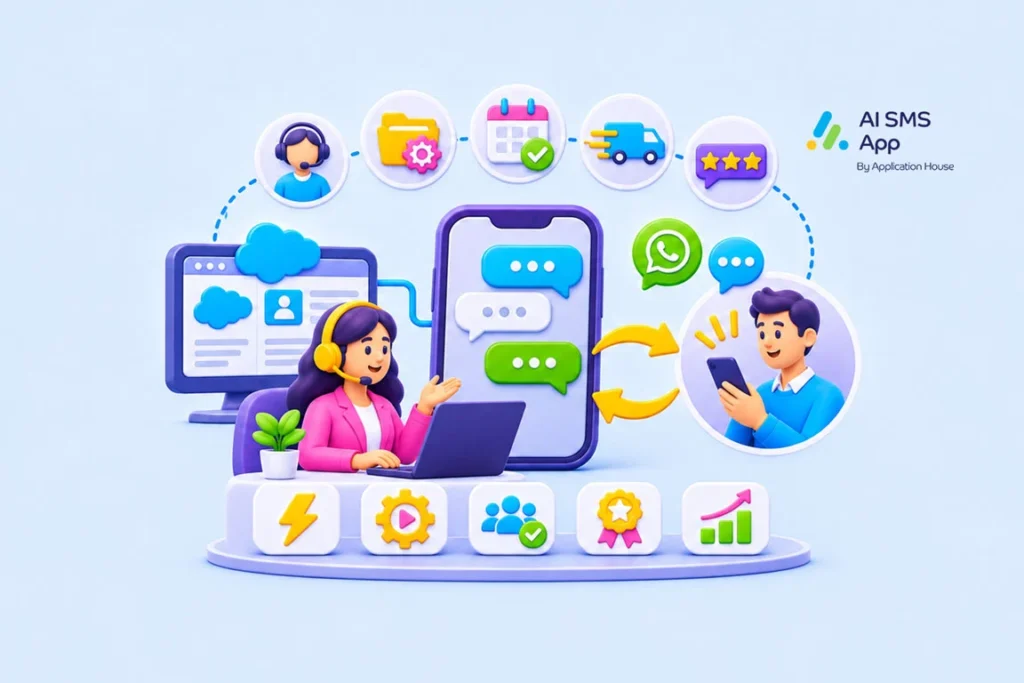
SMS and WhatsApp can support your customer service team with a convenient way to acknowledge cases, send progress updates, arrange appointments, and collect feedback.
When integrated with Salesforce, you can connect these interactions to existing customer service processes – texting is most beneficial when it’s part of a well-designed service workflow rather than a standalone channel.
AI SMS App, a Salesforce native SMS and WhatsApp app, can help you with support case resolution, automated customer service, appointment reminders, intelligent routing and AI-assisted workflows. It can also help you turn SMS messages into cases in Salesforce.