Automatically Create Salesforce Tasks When A Text Is Sent
When you send texts from Salesforce, you may want to automatically create Salesforce tasks, so your customer communication can immediately become your next business action.
With AI SMS App, you can keep your follow up responsibility visible inside Salesforce instead of depending on your users to remember what should happen after a text is sent.
You can use task creation with individual or bulk messaging, and control whether the create task option is available through your messaging configuration.
Use text messaging and Salesforce tasks together across your sales, marketing and support processes.
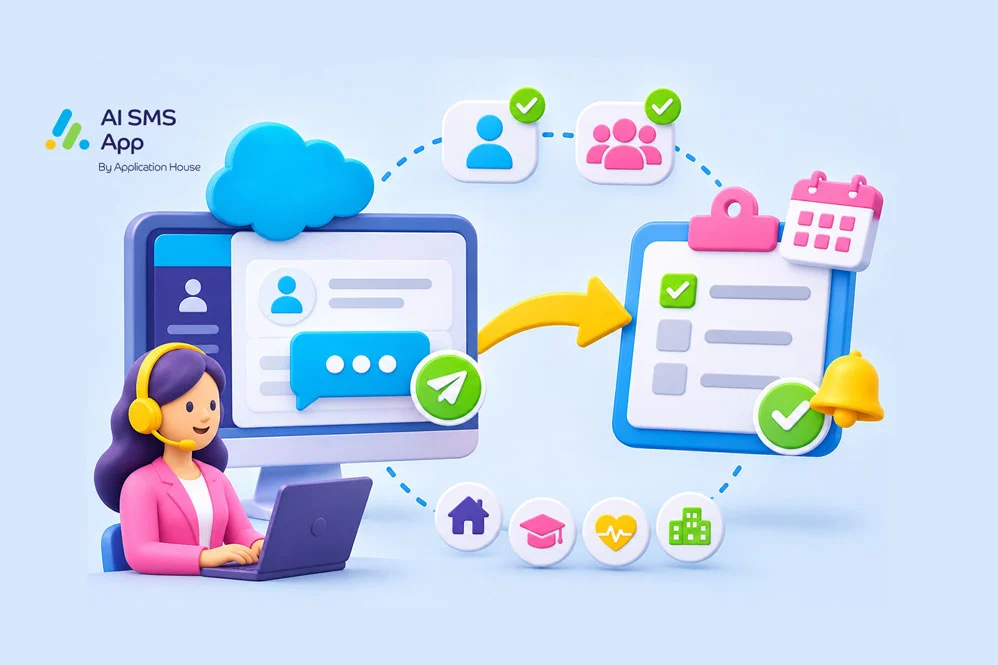
Turn Your Sent Text into a Salesforce Follow Up Task
After a message has been sent to a customer via SMS or WhatsApp, it may need a follow up call, email, or review from a team member. Creating a Salesforce task gives your team an easy way to manage follow ups when they are handling many customer conversations every day.
Using Salesforce workflows, you can send a messages and create a Salesforce task within the same business process. This keeps your communication and internal follow up connected instead of managing your next action in another system.
With AI SMS App, you can decide when your text messaging process should include Salesforce task creation.
Enable task creation for single messaging, bulk messaging or both depending on your process requirements.
Create Tasks from Bulk Text Messaging
- If bulk SMS messages from Salesforce List Views, Reports or Campaigns require follow up, you can generate Salesforce automated tasks instead of outreach ending when a message is sent.
- You have the option to keep your process flexible when some of your text messages need follow up and other messages are informational only.
Create Tasks from One to One Text Messages
- You can create Salesforce automated action reminders when a user sends an individual text.
- This helps your team move naturally from sending an SMS or WhatsApp message to completing the next business action.
Industry Use Cases for Automated Tasks in Salesforce
Whatever industry you operate in, creating Salesforce automated action reminders after a text messages has been sent can be beneficial.
Here are some example use cases for mortgage, real estate, education and healthcare.
Create Salesforce Tasks for Mortgage Text Communication
If you operate in the mortgage industry, you can use task automation when your mortgage process requires your team to take another action after contacting a borrower.
You can keep your borrower communication and your internal mortgage activity connected within Salesforce.
Create Qualification Follow Up Tasks
- You can send your borrower a text about their mortgage enquiry and create a task for a qualification call.
- Automated tasks help your team to remember to review borrower requirements after their initial communication.
Create Tasks for Outstanding Mortgage Information
- You can send your borrower a text asking for missing information and create a task to review their application later.
- Automated action reminders keep your outstanding requirement visible after the reminder has been sent, without relying on the message itself as the reminder.
Create Tasks for Mortgage Completion Follow Ups
- You can send your borrower a text about completion and create a task for later customer contact, such as refinancing, referral or relationship activity when your process requires it.
- This helps keep your borrower relationship active beyond the immediate mortgage transaction.
Create Salesforce Tasks for Real Estate Text Communication
With AI SMS App you can use text messaging and Salesforce tasks together when your real estate interaction needs another sales action.
You can keep your property communication connected to ongoing buyer, tenant, seller or landlord activity.
Create Tasks After Property Viewings
- You can send your customer a text after a property viewing and create a task for the agent to collect feedback while the property is still fresh in their mind.
- Tasks help your agents continue a sales conversation rather than allowing the viewing to become the last interaction.
Create Tasks for Interested Buyers
- If you send a buyer a text about a property, you can create a task for a follow up conversation.
- Automated action reminders can be useful when your buyer has shown interest but an agent needs to discuss affordability, preferences or another viewing.
Create Tasks for Seller Updates
- If you send your seller a text message with the latest property update, an automated task can remind the agent to discuss the next action.
- Communication and seller management activity remains connected.
- This gives agents a clear way to manage ongoing seller relationships.
Create Salesforce Tasks for Education Text Communication
Education institutions can use Salesforce task automation throughout the student recruitment and admissions journey.
Create Tasks for New Student Enquiries
- If you send prospective students a text message, you can create a task for your admissions staff to make personal contact to follow up.
- This can help your admissions team prioritise students who still need individual follow up.
Create Tasks for Application Reviews
- If you text an applicant about missing information, you can automatically create a task to review the application again at a later time.
- This keeps your admissions requirements visible after the prospective student has been contacted, and reduces the risk of applications remaining incomplete because a reminder was sent but follow up was not tracked.
Create Tasks After Open Days
- You can send text messages to attendees of an open day or campus visit, and the create tasks for the recruitment or admissions team to follow up, helping to continue the conversation while the student interest is still active.
- This helps connect your event communication with wider recruitment processes in Salesforce.
Create Salesforce Tasks for Healthcare Text Communication
With AI SMS App you can use text messaging and Salesforce automated action reminders when any healthcare communication leads to another action for authorised users.
Keep your patient text messaging and operational follow up connected in Salesforce.
Create Tasks for Appointment Rescheduling
- If you send a patient a text message about their appointment, a follow up task can be automated if your rescheduling process needs additional action.
- Any outstanding appointment activity remains visible until your authorised user completes the next task.
Create Tasks for Referral Follow Ups
- If you send a patient a text relating to a referral, an automatic task can help the process if an authorised user needs to review the next stage.
- You keep referral communication and internal follow up within the same Salesforce process.
- This makes the next action clearer for admin teams when your patient journey involves several steps.
Create Tasks for Post Visit Communication
- Following an appointment, you can send a text message and then create a task if your process requires further review.
- You can support your ongoing patient journey while keeping all communication and tasks inside Salesforce.
Create Salesforce Tasks for Pharmacy Text Communication
You can use automated tasks when your pharmacy communication requires an authorised user to complete another customer action.
Keep your pharmacy follow up visible after your customer message has been sent.
Create Tasks for Prescription Enquiries
- You can send your customer a text about their prescription enquiry and create a task when your authorised user needs to review or respond later.
- This keeps your customer request visible until your pharmacy process has been completed.
- It gives authorised users a clearer way to manage outstanding customer activity.
Create Tasks After Collection Notifications
- You can send your prescription collection text and create an automated Salesforce task when your process requires another check or customer contact.
- This keeps your collection communication and internal activity connected inside Salesforce.
Create Tasks for Pharmacy Service Follow Ups
- You can send your customer a text after they use your pharmacy service and create a task for another follow up is required.
- This keeps your customer relationship activity connected to Salesforce records.
Use Salesforce Tasks to Organise Your Text Follow Ups
With AI SMS App, you can use your Salesforce tasks to turn sent text messages into structured business actions.
Keep your follow-ups within the Salesforce processes your teams already use, and decide where automated task creation adds value and where texts should remain communication only.
Get in touch for a demo today to see how you can configure your text messaging and Salesforce tasks around your organisation’s own workflow.